
How GoalFlow works
From scattered backup to a release-ready package.
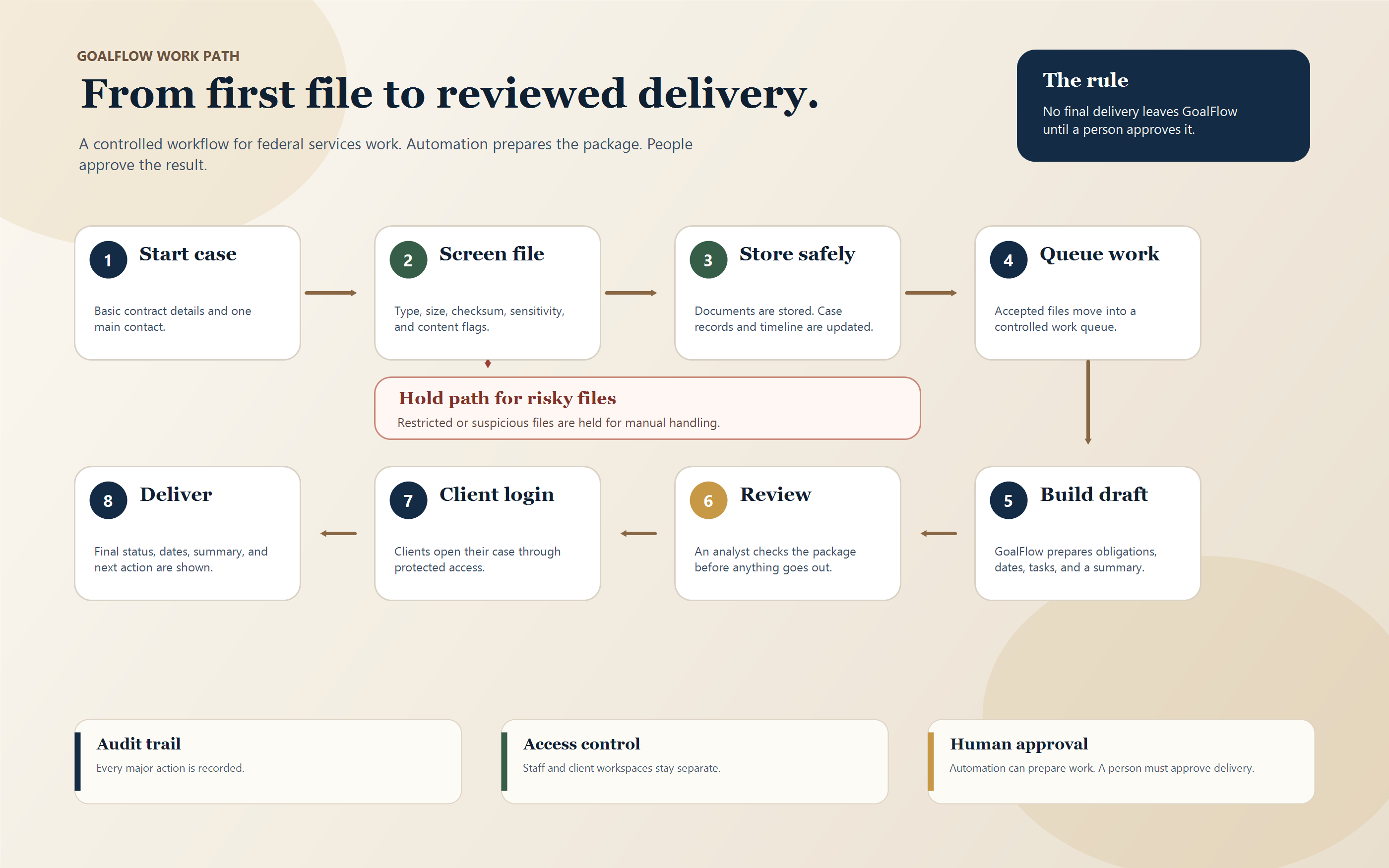
Start a request, upload standard non-CUI backup, and let GoalFlow screen, map, validate, follow up, and prepare the package. New Avenues steps in when a real exception appears.
SAM.gov subcontracting report readiness
For contractors who have contract details, supplier spend, emails, spreadsheets, and source backup scattered across the business. GoalFlow turns that mess into a review-ready package your team can copy/compare inside SAM.gov.
How GoalFlow works
Start a request, upload standard non-CUI backup, and let GoalFlow screen, map, validate, follow up, and prepare the package. New Avenues steps in when a real exception appears.
Near-term offers
Start with an affordable check, buy the copy/paste package when you want the field map, and add supplier row cleanup only when you actually have supplier rows.
Product
$39
For contractors who want a quick, affordable check before they start entering an ISR or SSR in SAM.gov.
Delivered
Product
$79
For teams that have the data somewhere, but want it turned into a clean field packet before SAM.gov entry.
Delivered
Product
$29 add-on
For clients who already bought a package and also have supplier or subcontractor spend rows to clean up.
Delivered
No-custody boundary
Standard GoalFlow accepts ordinary reporting backup only. If restricted files are required, the request must use client-hosted review with no downloads, a sanitized non-CUI export, or stop until a separate restricted enclave exists.
No SAM.gov account access, automation, scraping, or submission on the client's behalf.
No CUI, CDI, ITAR, export-controlled, or unknown-sensitive files through standard GoalFlow.
No vulnerability work, security scanning, exploit reports, bug bounty work, spam, deception, fake accounts, or paid ads.
No regulated legal, accounting, or financial advice. The service organizes evidence and review packages.
Why pay for this
Your team still submits inside SAM.gov. GoalFlow is for the prep work around that submission: checking the inputs, tying values back to source, and leaving fewer loose ends.
That usually means opening the source file, checking SAM.gov context, chasing missing supplier rows, writing follow-up questions, and keeping the evidence trail straight.
The deliverable is the review-ready packet: prepared values, source notes, resolved confirmations, warnings, file index, and submission guide.
Pricing stays low because the product is narrow: organize standard reporting inputs and prepare a clean handoff, without turning it into a consulting engagement.
What changes
The customer gets a field map, source trail, resolved confirmations, warnings, and final handoff steps instead of a loose pile of notes.
Each prepared value shows source type, confidence, and client confirmation when needed, so your team can compare before submitting.
Clean standard packages can move forward quickly; Not OK rows, restricted material, or unresolved answers are held for review.
Automated where it helps
The operating model is simple: organize standard evidence, collect missing answers, prepare clean packages, and escalate only real exceptions.
Requests, uploads, source screening, field mapping, and supplier CSV checks move without your team sorting everything by hand.
When a field is missing or mismatched, GoalFlow asks the specific question instead of sending a vague checklist.
Standard non-CUI packages move forward only after accepted uploads, resolved review items, and no Not OK rows.
New Avenues gets pulled in for restricted-data risk, blocked uploads, unresolved rows, or delivery failures.
How it works
GoalFlow is designed to reduce sorting, source chasing, and follow-up work for standard requests.
01
Choose the product, share deadline context, and include report setup details (fiscal year, submitter type, and task-order/SSR scope when applicable) with one standard source file.
02
GoalFlow screens files, extracts the entry map, normalizes supplier rows, records source notes, and asks targeted follow-up questions.
03
Standard requests move through the workflow quickly. New Avenues reviews blockers, restricted-data risk, or major mismatches.
Start here